
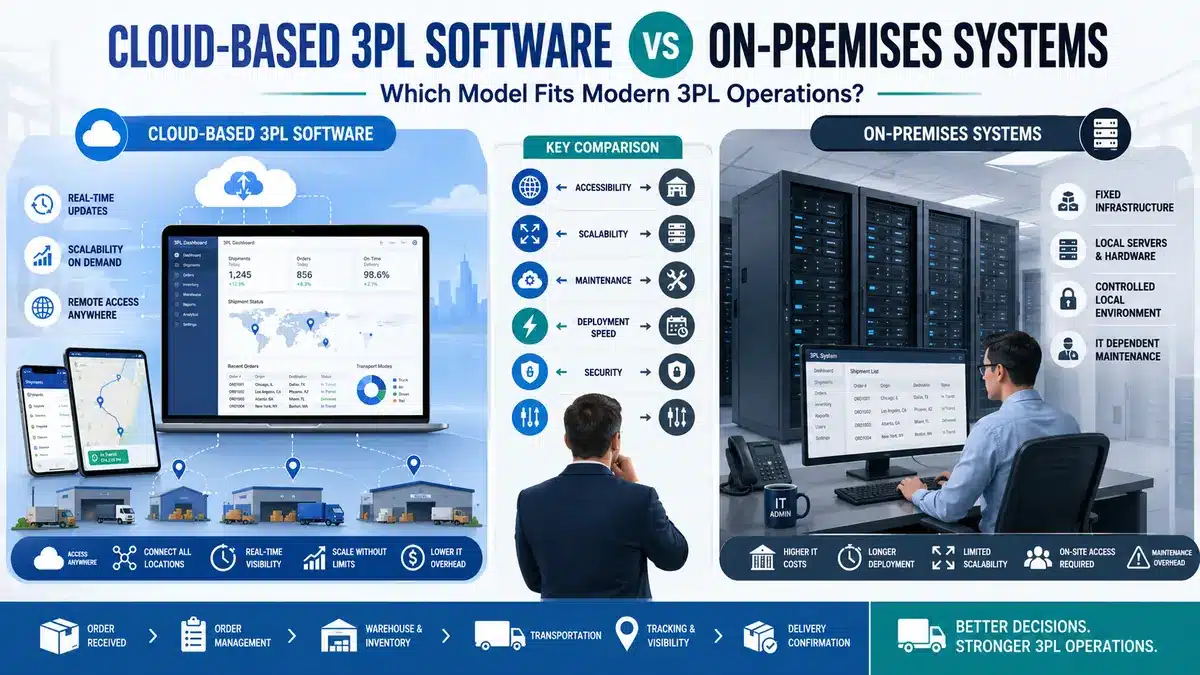
For many third-party logistics companies, software deployment is no longer just an IT-side decision. It affects how fast a 3PL can onboard clients, connect operational teams, manage billing, share client updates, and expand across locations. That is where the choice between Cloud based 3PL software and on-premises systems becomes important.
A traditional on-premises system gives a company more direct control over infrastructure, servers, and local customization. But that control usually comes with heavier maintenance, slower upgrades, higher IT dependency, and more internal responsibility.
Cloud systems follow a different setup. In a cloud based logistics software model, the system is accessed through the internet and maintained by the vendor or technology partner instead of being hosted on company-owned servers. For growing 3PLs, this can reduce server-related work and make it easier to manage multiple locations from one system.
Quick Answer: Is Cloud Based 3PL Software Better Than On-Premises?
For most growing 3PL companies, Cloud based 3PL software is usually the better fit because it supports faster rollout, easier multi-location access, lower internal IT burden, remote visibility, and simpler upgrades.
But cloud is not automatically better for every business. On-premises or hybrid systems may still make sense for large enterprises with strict infrastructure policies, deep custom workflows, low-connectivity warehouse sites, or specific regulatory requirements.
A practical way to decide is simple. Choose cloud when speed, scalability, client visibility, and lower maintenance are the main priorities. Consider on-premises or hybrid when local control, heavy customization, or internal hosting rules are non-negotiable.
What Is Cloud Based 3PL Software?
Cloud based 3PL software is logistics software hosted outside the company’s own physical servers and accessed through a secure web-based environment. It helps 3PL companies manage order-related workflows, dispatch updates, documentation, billing, reporting, and customer visibility from a centralized platform.
In a cloud model, warehouse users, operations managers, finance teams, and clients can access relevant data from different locations, depending on permissions. This is especially useful for global or multi-warehouse 3PL companies because one system can support multiple branches, customer accounts, and operational teams.
Cloud systems may include order management, billing rules, customer portals, reporting, integrations, and operational visibility features. In many cases, cloud based logistics software also connects with ecommerce platforms, ERPs, carrier systems, marketplaces, accounting software, and customer systems.
At that point, cloud logistics software is not only about hosting. It starts affecting how the 3PL actually runs daily operations.
What Are On-Premises Systems Compared to Cloud Based 3PL Software?
The business installs and maintains on-premises 3PL systems on its own controlled servers. The company usually owns or manages the infrastructure, security patches, backups, upgrades, and technical environment.
This model was common before SaaS adoption became widespread. It can still work well for companies with strong internal IT teams, stable warehouse processes, and strict control requirements. Some large enterprises also prefer on-premises or private cloud setups because they have established data governance rules, internal security review processes, or highly customized workflows.
The drawback is that on-premises systems can become expensive to maintain and slower to update. When a 3PL adds new clients, launches a new warehouse, or needs new integrations, internal IT involvement is often heavier. Over time, this slows down operational changes.
Why Cloud based 3PL software Matters for 3PL Operations
A 3PL does not operate like a single-brand warehouse. It manages client rules, reports, billing logic, service-level expectations, and exceptions for multiple clients at the same time. So the way the software is hosted and managed starts to matter more.
The deployment model affects
- how quickly new client accounts can be set up
- how easily operational users can access the system
- how billing rules are configured
- how clients see order status and relevant updates
- how integrations are added
- how upgrades are handled
- how multiple warehouses stay aligned
For 3PLs still relying on spreadsheets, shared folders, and manual reporting, the warning signs usually show up before the software conversation starts. Missed billing entries, delayed inventory updates, manual client reports, and duplicate order records are often signs that the business has outgrown Excel sheets.
Cloud Based 3PL Software vs On-Premises Systems: Practical Comparison
|
Factor |
Cloud based 3PL software |
On-premises 3PL system |
| Setup speed | Usually faster because infrastructure is vendor-managed | Usually slower because servers, setup, and internal IT work are required |
| Upfront cost | Lower upfront infrastructure cost in many cases | Higher upfront infrastructure and setup cost |
| Maintenance | Vendor or partner handles many updates, patches, and backups | Internal team manages maintenance, patches, backups, and upgrades |
| Scalability | Easier to add users, clients, locations, and integrations | Scaling may require more hardware, licenses, and IT planning |
| Customization | Strong for configurable workflows and role-based access | Strong for deep local customization if the business can maintain it |
| Client visibility | Easier to provide portals and controlled access | Possible, but often requires more setup and maintenance |
| Data control | Controlled through contracts, permissions, hosting regions, and security policies | More direct infrastructure control |
| Best fit | Growing 3PLs, multi-site operations, ecommerce fulfillment, global teams | Large enterprises, strict internal hosting rules, highly customized environments |
Many companies treat this as a basic technology comparison. In reality, it is also a workflow decision. The better system is the one that supports how the 3PL handles orders, bills customers, manages exceptions, and shares information.
Where Cloud Based Logistics Software Fits Better
Cloud based logistics software usually fits better when a 3PL needs faster setup, better visibility, and more flexibility across teams or locations.
A growing 3PL may start with one warehouse and a few clients. But once it adds more customers, manual tracking becomes messy. Different clients may need different billing rates, cut-off times, service requirements, and reports. If every change depends on IT tickets and spreadsheet edits, the operation slows down.
Cloud systems help because approved users can work from the same platform instead of depending on separate files or local systems. Branch managers can check operational updates. Finance teams can review billable activities. Customer service teams can answer client questions without waiting for warehouse staff to export data. Clients can see order status or relevant updates through a controlled portal.
SaaS logistics software can also reduce some of the daily technical workload for internal teams. Instead of spending time on server maintenance, backups, and version upgrades, the business can focus on process discipline, user adoption, and client service.
When On-Premises or Hybrid Still Makes Sense
On-premises systems still have a place. Saying cloud is always better would be too simplistic.
Some 3PLs operate in environments where local control is important. For example, a warehouse handling regulated goods may need strict validation rules. A global enterprise may already have internal infrastructure standards. A region with unreliable connectivity may need local execution capability. A company with deeply customized workflows may not want to move quickly into a standard SaaS model.
Official enterprise platforms such as SAP Extended Warehouse Management show that large organizations still evaluate cloud, private cloud, and enterprise deployment models based on business complexity, integration needs, and control requirements.
A hybrid model can also work in some cases. A business may use cloud reporting and customer visibility while keeping some local execution or integration layers close to warehouse operations. The right model depends on risk, cost, IT maturity, and business goals.
Workflow Impact: How Cloud based 3PL software Affects Daily 3PL Operations
Take a common 3PL onboarding workflow.
A new client comes in. The 3PL must create customer-specific rules, configure client details, define service rules, set billing logic, configure billing, connect order channels, train users, and start reporting.
In a cloud model, teams can configure much of this inside the platform. Teams can create user roles, set client-level rules, connect integrations, and provide controlled access without building a separate environment from scratch.
In an on-premises model, the same workflow may require more internal IT work. If the business has heavily customized the system, even small changes can take longer because teams need to consider server capacity, local configuration, compatibility, and upgrade impact.
The main deployment problem is usually not the software alone. It is usually messy master data, unclear billing rules, weak process ownership, and poor user training. Cloud can reduce infrastructure-related issues, but it will not fix poor warehouse discipline on its own.
Security, Compliance, and Data Control in SaaS Logistics Software
Security is one of the most common concerns around cloud systems, and many teams misunderstand what the real risk is.
A cloud system does not automatically mean weak data control. Mature vendors usually offer role-based access, audit logs, encryption, backup processes, hosting controls, compliance documentation, and security reviews. For example, Oracle cloud compliance resources show how major cloud providers document compliance, security controls, and governance practices.
But buyers still need to ask hard questions:
- Where is the data hosted?
- Who can access it?
- How are backups handled?
- What happens if the vendor relationship ends?
- Can data be exported cleanly?
- What audit logs are available?
- How are integrations secured?
- What happens during downtime?
For global 3PLs, data residency can matter. A company operating across regions may need different hosting, privacy, or contractual controls. This is where cloud, private cloud, and hybrid options should be compared carefully.
Cost, Maintenance, and Upgrade Reality
Cloud is often called the cheaper option, but that is not always true.
A more accurate view is that cloud usually lowers upfront infrastructure cost and reduces maintenance work. But subscription costs continue over time. On-premises systems may require larger upfront investment, but some companies prefer that if they already have infrastructure and IT teams in place.
The bigger issue is total cost of ownership. On-premises cost includes servers, licenses, upgrades, support, backups, cybersecurity effort, internal IT time, downtime planning, and future modernization. Cloud cost includes subscriptions, configuration, integrations, user adoption, data migration, and vendor dependency.
At the same time, Both models carry some risk.
For 3PLs, the cost question should include operational impact. If slow software causes billing leakage, delayed reporting, poor client visibility, or manual rework, the cheaper system on paper may become expensive in practice. Mechsoft has covered related operational pressure points in its guide on top 3PL challenges in 2026.
Decision Checklist for 3PL Leaders to Choose Cloud based 3PL software
Before choosing between Cloud based 3PL software and an on-premises system, ask:
- How many warehouses do we operate now, and how many will we add?
- How often do we onboard new clients?
- Do clients need portal access or automated reports?
- How complex are our billing rules?
- Do we depend on ecommerce, ERP, carrier, or marketplace integrations?
- Do we have a strong internal IT team?
- Do we need local hosting for compliance or policy reasons?
- How painful are upgrades today?
- What happens if internet connectivity fails?
- Can the system support our operational process without heavy custom code?
If your answers point toward multi-location growth, faster onboarding, better client reporting, and lower IT workload, cloud is worth serious consideration. If the answers point toward strict hosting control, deep local customization, or complex enterprise validation, on-premises or hybrid may deserve a closer look.
How Mechsoft Fits Into the Discussion
Mechsoft should not position this as “every 3PL must move to cloud.” That would be weak advice.
A practical software decision should start with the business workflow: order processing, dispatch updates, documentation, billing, client reporting, and management visibility. Once the workflow is clear, the deployment model becomes easier to evaluate.
For many growing 3PL companies, Cloud based 3PL software can help reduce manual coordination, improve visibility, and support structured client-wise operations without adding heavy infrastructure responsibility. Still, results depend on clean data, clear billing rules, disciplined implementation, user training, integrations, and management follow-through.
Software can support better operations, but it cannot fix a broken process if no one owns it internally.
Conclusion
The choice between Cloud based 3PL software and on-premises systems should come down to operational fit, not market trends.
Cloud is usually stronger for growing 3PLs that need faster rollout, multi-location access, client visibility, easier upgrades, and lower IT maintenance. On-premises or hybrid systems still make sense when local control, deep customization, strict compliance, or connectivity constraints matter more.
The better decision is not simply cloud vs on-premises. It is choosing the model that supports your operational teams, billing accuracy, client commitments, integrations, and growth without adding avoidable operational delays.
FAQ / People Also Ask
Q. What is Cloud based 3PL software?
A. Cloud based 3PL software is a web-accessed logistics system that helps third-party logistics companies manage order-related workflows, billing, reporting, client visibility, and operational updates without hosting the software on their own servers.
Q. Is cloud better than on-premises for 3PL companies?
A. Cloud is usually better for growing 3PLs that need faster setup, easier multi-warehouse access, simpler upgrades, and lower IT maintenance. On-premises may be better for companies with strict local hosting, deep customization, or specific compliance requirements.
Q. Is SaaS logistics software secure enough for global 3PL operations?
A. SaaS logistics software can be secure when it includes proper access controls, audit logs, encryption, backup processes, compliance documentation, and clear data ownership terms. Buyers should still review hosting location, export options, and vendor security practices.
Q. When should a 3PL choose a hybrid system?
A. A hybrid system may fit when a 3PL wants cloud visibility and reporting but still needs local execution, strict compliance controls, or warehouse continuity in low-connectivity environments.
If your 3PL operation is struggling with manual tracking, delayed client reporting, billing gaps, or multi-location visibility issues, review your current workflow before choosing a deployment model. A practical software discussion should start with how your operation actually works, not with a cloud-vs-on-premises label.
Suggested Author Bio
Reviewed by a logistics software specialist with experience in 3PL workflow planning, billing automation, client reporting, and software implementation for logistics operations.


