
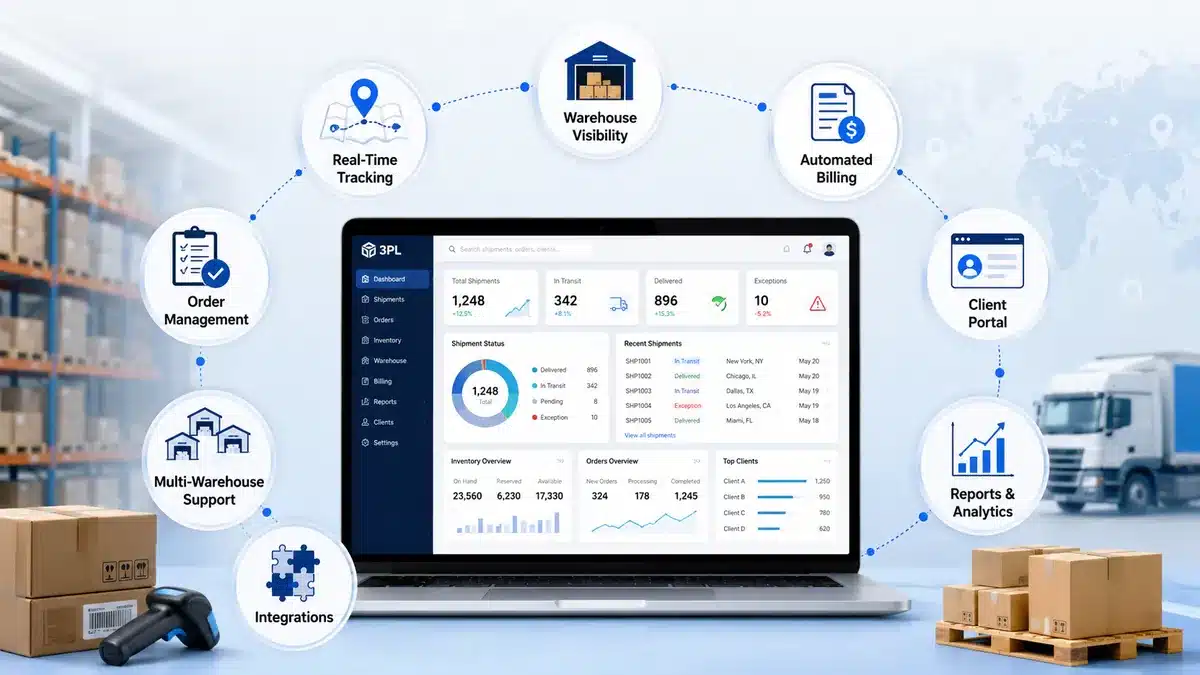
Third party logistics software is no longer optional for a growing 3PL business that manages multiple clients, SKUs, orders, billing rules, and warehouse updates. Basic inventory software, scattered spreadsheets, and manual billing sheets may work for a small setup, but they start creating problems as order volume grows. The common issues are inventory mismatches, delayed dispatches, billing errors, repeated client follow-ups, and poor visibility across warehouses.
The right system does not just “store data.” It connects warehouse operations, order processing, billing, client communication, reporting, and integrations in one operating flow.
What Should Third Party Logistics Software Include?
Modern third party logistics software should include multi-client inventory management, core warehouse management features, order management, barcode or RFID tracking, billing automation, client portals, shipping integrations, reporting dashboards, user access control, and scalable workflows. The best system should match how a 3PL actually receives, stores, picks, packs, ships, bills, and reports work for multiple clients.
Why Modern Third Party Logistics Software Needs More Than Basic Inventory Tracking
A normal inventory tool usually tracks stock. A modern 3PL operation needs much more than that. A 3PL company manages inventory on behalf of different clients. Each client may have different SKUs, storage rules, billing terms, dispatch priorities, return policies, and reporting expectations. That means the software must support client-wise control from the first receiving entry to the final invoice.
This is the difference between simple inventory software and true third party logistics software. For example, a basic system may show that 500 units are available. A 3PL-ready system should show which client owns those units, where they are stored, which batch or lot they belong to, which orders are reserved, what services are billable, and what the client can see in their portal.
For readers still comparing the basics, this guide on what 3PL logistics software is and how it works is a useful supporting read.
Industry direction also supports this shift. The 2025 MHI Annual Industry Report points to stronger investment in cloud, automatic identification, predictive analytics, robotics, AI, and mobile technology across supply chain operations. These trends matter because 3PL companies are under pressure to become faster, more connected, and more visible without losing control of cost or accuracy.
Core Key Features of 3PL Services Software Every Business Should Review
1. Multi-Client Inventory Management in Third Party Logistics Software
Multi-client inventory control is one of the most important key features of 3PL services software. A 3PL warehouse may store products for 10, 50, or 100 clients in the same facility. Without proper client-wise inventory segregation, teams can easily pick the wrong stock, mix up similar SKUs, or give clients inaccurate reports.
Good third party logistics software should separate inventory by client, SKU, batch, warehouse location, stock status, and order reservation. This matters because multiple clients may store similar products in the same warehouse, but each client needs accurate ownership, availability, and reporting.
A weak system may tell you what is inside the warehouse. A stronger one shows ownership, storage location, stock condition, and the next possible action.
2. Operational Visibility Features for 3PL Operations
The most useful warehouse management features are not fancy dashboard elements. They are the operational controls that reduce confusion on the warehouse floor.
A modern 3PL system should support order visibility, status updates, documentation, billing workflows, returns visibility, and client-wise reporting. These are not “extra” features. They are the daily workflow of a 3PL warehouse.
If the software does not handle these activities cleanly, the warehouse team will return to Excel, WhatsApp, printed sheets, or manual notes. This is where many 3PL companies outgrow spreadsheets. If your warehouse team still depends on one person’s Excel sheet to know where stock is kept, the process is already fragile.
The guide on signs your 3PL process has outgrown Excel explains this problem in more detail.
3. Order Management and Fulfillment in Third Party Logistics Software
Order management is another essential part of third party logistics software. A 3PL company may receive orders from client emails, ERPs, ecommerce stores, marketplaces, APIs, or manual uploads. Without a proper order management flow, teams lose time confirming order status, assigning inventory, and checking dispatch progress.
A modern system should help teams capture orders from manual or integrated sources, reserve inventory, generate pick tasks, verify packing, assign carrier details, and update shipment status. It should also flag exceptions such as shortages, hold orders, damaged goods, or failed dispatches.
The point is not just faster order entry. The real value is fewer blind spots. Operations heads should not need five calls to know whether an order has been picked, packed, or shipped.
4. Barcode, RFID, and Scan-Based Tracking
Manual entry is one of the easiest ways to create warehouse errors. Barcode and RFID-based tracking reduce dependency on memory, handwriting, and repeated typing. Modern third party logistics software should support barcode scanning at key points such as receiving, putaway, picking, packing, cycle counting, and dispatch. For higher-volume or high-accuracy environments, RFID may also be relevant.
GS1’s RFID and barcode standards show how standardized identification connects physical goods with digital systems, which is exactly what warehouse visibility depends on.
Practical scan points include receiving, bin movement, picking, packing, dispatch, and returns. Each scan reduces a different type of error, from wrong inbound quantity and wrong SKU picking to incorrect dispatch and returned stock being mixed with sellable inventory. Barcode tracking is not useful only for large warehouses. Even smaller 3PLs benefit when they manage similar-looking products, multiple clients, or high order volumes.
5. 3PL Billing and Invoice Automation
Billing is one of the most underrated key features of 3PL services software because it connects warehouse activity with revenue. A 3PL does not bill like a simple product seller. It may charge for storage, receiving, picking, packing, labeling, kitting, pallet handling, returns, transport coordination, special handling, and value-added services. Some clients may have fixed monthly rates. Others may have transaction-based pricing.
This makes 3PL billing difficult to manage manually. If the system cannot capture billable activities automatically, revenue leakage becomes likely.
A good third party logistics software should connect warehouse activities with billing rules. When receiving, storage, picking, packing, returns, or special handling are recorded properly, finance teams can prepare invoices with fewer missed charges and fewer disputes.
This is not only a finance feature. It is an operational control. If warehouse activities are not captured properly, finance cannot bill properly.
6. Client Portal and Customer Visibility
Clients do not want to chase 3PL teams every day for stock updates, order status, dispatch reports, or inventory summaries. A client portal reduces that friction. A modern third party logistics software should give clients controlled access to relevant data. This may include inventory status, order progress, dispatch details, invoices, reports, and service requests.
A useful client portal should allow customers to view real-time inventory, order status, dispatch details, tracking updates, reports, invoices, PODs, and service-related documents. The important part is controlled access: each client should only see their own data.
This feature matters more as 3PL businesses scale. Without it, customer service teams become reporting teams. They spend hours answering the same questions instead of solving real exceptions.
7. Shipping, Carrier, ERP, and Marketplace Integrations
No 3PL software works in isolation. It needs to connect with the systems around it. Useful integrations usually include ecommerce platforms, marketplaces, client ERPs, carrier systems, accounting software, barcode scanners, RFID devices, and BI tools. The goal is to reduce duplicate entry across systems and avoid delays caused by disconnected data.
The DHL Logistics Trend Radar highlights the growing importance of AI, sustainability, automation, and connected logistics capabilities. For 3PLs, the practical lesson is simple: disconnected systems slow the operation down.
Integrations are not a luxury feature anymore. They decide how much manual work your team has to repeat every day.
8. Reporting, Analytics, and KPI Dashboards
A modern 3PL business needs visibility into both operations and business performance. Basic reports are not enough. A useful reporting dashboard should help teams track inventory accuracy, stock mismatches, order cycle time, dispatch delays, and warehouse productivity. It should also show client-wise SLA performance, unbilled activities, invoice cycle time, space utilization, damaged stock, failed dispatches, and returns.
Good reporting helps managers act before problems become client complaints. For example, if one client’s orders are repeatedly delayed during packing, the issue may be packaging rules, SKU placement, staff training, or order batching. Without reports, this becomes guesswork.
9. Role-Based Access and Security
A 3PL system contains sensitive client, inventory, billing, and operational data. Not every user should see or edit everything.
Modern third party logistics software should include role-based access control. Warehouse staff may need picking and receiving access, while finance teams need billing access. Clients usually need limited visibility into their own orders and inventory, and admins need full control.
Basic security controls should include user roles, client-wise access, audit logs, approval workflows, and data backup. Different users need different access levels: warehouse teams need receiving and picking access, finance teams need billing access, clients need limited portal access, and admins need full system control.
Security is not only an IT concern. In a 3PL business, poor access control can create client trust issues.
10. Scalability and Custom Workflow Support
Every 3PL does not operate the same way. Some focus on e-commerce fulfillment, some handle B2B distribution, some manage cold chain, pharma, spare parts, retail, bulk goods, or cross-docking. That is why scalability and workflow flexibility matter.
A scalable system should support more clients, more warehouses, higher order volume, new billing models, and more integrations. It should also support value-added services such as kitting, labeling, and custom reporting. If the software cannot grow with these changes, the team will eventually return to manual workarounds.
This is where businesses often compare ready-made tools with custom development. A standard product may be enough for common workflows. A custom system may make sense when billing rules, client workflows, integrations, or operational processes are too specific. This custom 3PL software comparison can help when evaluating that decision.
Third Party Logistics Software Feature Priority Matrix
Not every feature has the same urgency. A small 3PL should not blindly buy a heavy system with features it cannot implement. A large 3PL should not choose a lightweight tool that breaks under complexity.
| Feature | Small 3PL | Growing 3PL | Multi-Warehouse 3PL |
| Order management | Must-have | Must-have | Must-have |
| Billing automation | Important | Must-have | Must-have |
| Client reporting | Useful | Important | Must-have |
| Document management | Important | Must-have | Must-have |
| Operational status visibility | Important | Must-have | Must-have |
| Role-based access | Useful | Important | Must-have |
| ERP/API integrations | Optional | Important | Must-have |
| Custom workflow support | Optional | Important | Must-have |
| Analytics and KPI reporting | Optional | Important | Must-have |
The honest answer: start with the features that remove daily operational pain. Do not buy software only because the demo looks advanced.
Workflow: How Modern Third Party Logistics Software Connects Operations
A useful third party logistics software should connect the full operating cycle.
Order Received
↓
Client and Service Details Confirmed
↓
Operational Status Updated
↓
Documents Captured
↓
Dispatch Status Confirmed
↓
Billable Activities Recorded
↓
Invoice Generated
↓
Reports and KPIs Updated
This connected flow is the real value. If receiving, picking, billing, and reporting are handled in different files, the business will keep losing time even if each team is working hard.
Mistakes to Avoid When Choosing Third Party Logistics Software
| Mistake | Better Practice |
| Choosing generic inventory software | Select software built for multi-client 3PL workflows |
| Ignoring billing complexity | Check rate cards, storage charges, and activity billing |
| Buying too many features too early | Prioritize operational pain first |
| Not checking integrations | Confirm ERP, ecommerce, carrier, and accounting needs |
| Ignoring warehouse adoption | Make sure floor teams can actually use the system |
| Skipping data cleanup | Clean client, SKU, location, and stock data before migration |
| Treating reports as an afterthought | Define KPIs before implementation |
| No client portal planning | Decide what clients should see and download |
A bad software decision does not only waste license cost. It creates process confusion, team resistance, and client dissatisfaction.
How to Decide Which Third Party Logistics Software Features Your 3PL Actually Needs
Use this simple checklist before finalizing a system:
– How many clients, SKUs, and warehouses do we manage?
– Where do most errors happen: receiving, picking, packing, dispatch, or billing?
– Do clients need self-service access to inventory and order status?
– Are billing rules simple, or do they vary by client?
– Which systems need to connect with the software: ERP, ecommerce, carriers, accounting, or BI tools?
– Will this system still work if order volume doubles?
The right answer depends on operational maturity. A 3PL running 200 orders per month does not need the same setup as one running 20,000 orders per month across multiple warehouses.
Where Custom Third Party Logistics Software Fits
Custom software is not automatically better. Ready-made software is not automatically cheaper in the long run. The right choice depends on workflow fit. Custom third party logistics software may make sense when billing rules are highly specific, clients need unique reporting formats, existing ERP integrations are complex, warehouse workflows are unusual, or the business plans to scale aggressively. In these cases, a standard tool may still work, but only if it can be configured without forcing the team to change practical warehouse processes.
Teams can review MechSoft’s third party logistics software as part of the feature-mapping process. The better approach is not to ask, “Which software has the longest feature list?” Ask, “Which software fits our actual receiving, storage, fulfillment, billing, and reporting workflow?”
You can also compare feature needs against common industry issues explained in top 3PL challenges in 2026.
FAQ / People Also Ask
Q. 1. What are the most important features of 3PL software?
A. The most important features are multi-client inventory management, warehouse management features, order fulfillment, billing automation, barcode scanning, client portals, integrations, reporting, and role-based access control.
Q. 2. How is third party logistics software different from normal inventory software?
A. Third party logistics software is built for companies managing inventory and fulfillment for multiple clients. Normal inventory software usually focuses on one company’s stock, while 3PL software handles client-wise stock, billing, reporting, and operational workflows.
Q. 3. Why is billing automation important in 3PL software?
A. Billing automation helps capture storage, receiving, picking, packing, returns, and special handling charges. Without it, 3PL companies can miss billable activities and lose revenue.
4. Do small 3PL companies need barcode scanning?
A. Yes, if they handle multiple SKUs, similar products, frequent dispatches, or client-wise inventory. Barcode scanning reduces manual entry errors during receiving, picking, packing, and dispatch.
Q. 5. Should a 3PL choose ready-made or custom software?
A. Ready-made software is suitable for standard workflows. Custom software may be better when billing rules, integrations, reporting needs, or warehouse processes are unique. The decision should be based on workflow fit, not just price.
Conclusion
Modern third party logistics software should do more than track stock. It should connect the core 3PL workflow: order handling, documentation, billing, client visibility, reporting, and operational updates.
The essential features are not random add-ons. They solve real operating problems: wrong inventory, delayed orders, missed billing, poor reporting, and client follow-ups. The best software choice is the one that fits your warehouse reality, client expectations, billing model, and growth plans.
A practical next step is to list your current process problems first. Then map each problem to the software feature that can fix or reduce it. That gives you a cleaner requirement list and prevents you from buying features that look impressive but do not improve daily operations.
If your 3PL team is still managing billing, client reports, order updates, and dispatch communication across Excel sheets or disconnected tools, review your workflow before choosing software.


