
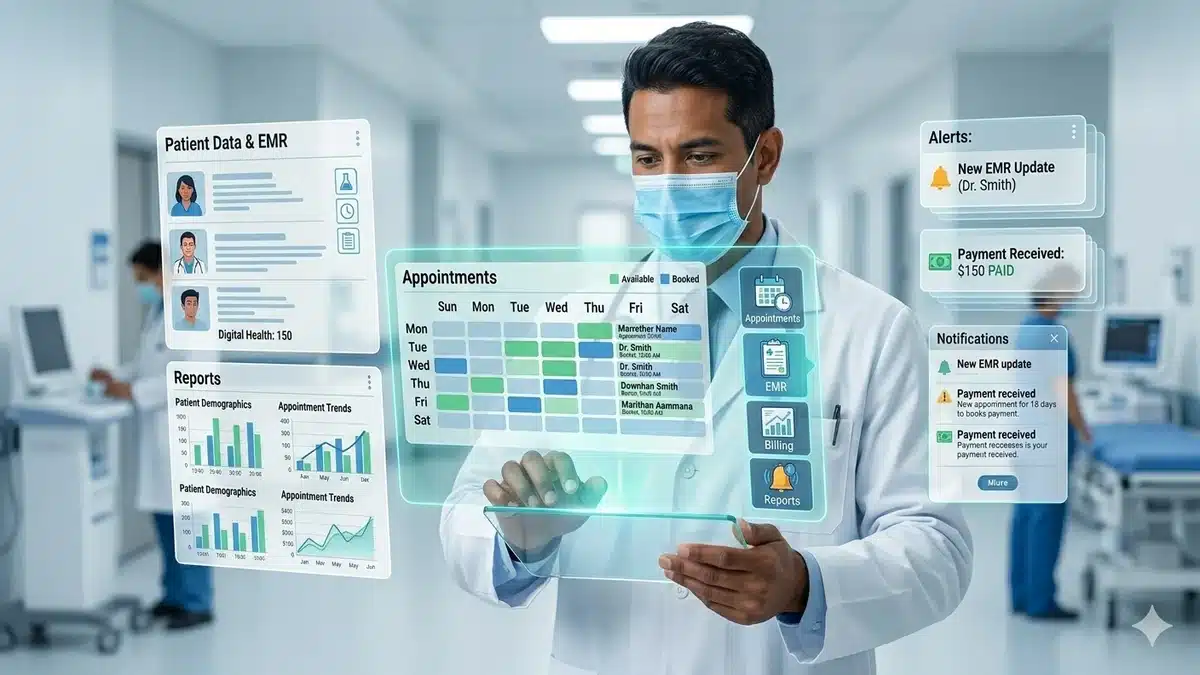
What Is Patient Management Software?
Patient Management Software is a digital system that helps clinics and hospitals manage the entire patient journey, from registration to treatment, billing, and follow-up care.
In simple terms, it replaces paper files, scattered spreadsheets, and disconnected tools with one centralized platform.
Patient management software typically includes:
- Patient registration and profile creation
- Appointment scheduling
- Patient record management system
- OPD workflow management
- Prescription management
- Billing and payment tracking
- Patient communication and reminders
- Analytics and reporting
Why Healthcare Providers Need Patient Management Software?
Without a proper system, clinics and hospitals face many recurring issues:
- Patient records get lost or duplicated
- Doctors spend too much time on documentation
- Billing errors lead to revenue loss
- Follow-ups are missed
- Staff struggle with hospital operations
These problems directly impact patient satisfaction and business performance.
A modern hospital patient management system addresses these issues by creating a single source of truth for patient data and daily workflows.
How Patient Management Software Works in Healthcare
Hospital patient management software connects clinical and administrative functions into one workflow. Here’s how it typically works step by step.
1) Patient Registration and Profile Setup
When a patient visits the clinic, the system captures:
- Personal details
- Medical history
- Allergies and medications
- Family history
- Previous reports
This creates a complete digital profile, making future visits faster and more organized.
2) Appointment Scheduling and Patient Tracking
The software manages appointments through:
- Online booking
- Staff-assisted scheduling
- Automated reminders
- Waiting list visibility
This improves patient tracking and reduces no-shows. Doctors can prioritize urgent cases and optimize consultation flow.
Patient waiting time plays a critical role in overall satisfaction. Research shows that longer waiting times are directly associated with lower perceived quality of care and reduced patient satisfaction, making efficient scheduling and patient flow management essential for healthcare providers.
3) OPD Workflow and Queue Management
For OPD operations, the system helps staff and doctors coordinate in real time:
- Assistants can pre-fill patient details
- Doctors can see the live queue
- Cases can be prioritized based on urgency
This is especially useful for busy clinics and hospitals where smooth operations are crucial.
4) Patient Record Management and Case History
This is the heart of any patient record management system.
Doctors can:
- Record symptoms and diagnoses
- Access previous visits instantly
- Track progress over time
- Review test reports and treatment plans
Many modern tools support structured or visual forms, making documentation faster and more intuitive.
5) Prescription Management
Instead of writing prescriptions by hand, doctors can use:
- Prescription templates
- Suggested drafts based on history
- Digital medication records
This reduces handwriting errors and helps maintain a clear medication record for future visits.
6) Billing and Payments
A good hospital patient management software integrates billing with clinical workflows.
It can handle:
- Consultation fees
- Procedures and diagnostics
- Discounts and packages
- Pending payments and receipts
Automated billing reduces errors and improves financial transparency.
7) Follow-Ups and Patient Communication
One of the most valuable features of a patient management platform is communication.
The software can send:
- Appointment reminders
- Follow-up notifications
- Medication alerts
- Health education messages
This improves retention and keeps patients engaged even after they leave the clinic.
8) Reports and Analytics
Patient data becomes useful only when it can be analyzed.
Most platforms offer dashboards for:
- Patient trends
- Doctor productivity
- Revenue reports
- Follow-up rates
- Treatment outcomes
These insights help clinics improve both care quality and business decisions.
Key Features of Patient Management Platforms
If you are evaluating different tools, look for these key features in patient management platforms:
Core Features
- Digital patient profile and history
- Appointment scheduling and reminders
- OPD queue and workflow management
- Prescription templates and medication tracking
- Integrated billing and payment records
- Follow-up and communication tools
- Analytics and reporting dashboard
Advanced Features
- Customizable case forms for different specializations
- Voice or video notes, if needed
- CRM and WhatsApp integration
- Multi-location support for growing hospitals
The best systems are not only feature-rich. They should be easy for doctors and staff to use every day.
Benefits of Patient Management Software
Let’s keep it practical. Here are the real benefits of patient management software for clinics and hospitals.
1) Saves Time for Doctors and Staff
Less paperwork means more time for patient care.
Optimizing patient flow through digital systems can significantly reduce waiting times and improve operational efficiency. A study published in BMC Health Services Research demonstrated that structured patient flow management can reduce waiting time from nearly two hours to under 30 minutes in certain clinical settings.
2) Improves Accuracy
Digital records reduce manual errors in documentation, prescriptions, and billing.
3) Enhances Patient Experience
Faster appointments, shorter wait times, and better communication improve satisfaction.
4) Strengthens Patient Data Management
All records are stored securely and can be retrieved instantly.
5) Improves Revenue Efficiency
Accurate billing and payment tracking reduce revenue loss.
6) Supports Compliance and Audit Readiness
Digital records provide a clear trail for compliance requirements.
How to Choose the Right Hospital Patient Management System?
Choosing software based only on features is a common mistake. The right system should fit your actual workflow.
What to evaluate before choosing:
- Is it easy for doctors to use during consultations?
- Can it fit your specialization?
- Does it support complete patient data management?
- Is billing integrated with OPD and prescriptions?
- Can it scale as your clinic grows?
- Does it support communication tools like WhatsApp or SMS?
If the software is hard to use, your team may avoid it, leading to implementation failure.
Why Flexibility Matters in Patient Management Software
Many ready-made systems are rigid. They force every doctor to follow the same format, which is not effective in practice.
Different specialties require different case-taking formats. Even doctors in the same specialty may prefer different workflows.
That is why adaptable platforms are gaining popularity.
For example, FlexiClinic is designed to be flexible, allowing doctors to configure case forms based on their practice style. Instead of following a fixed structure, it supports a more practical workflow for clinics and nursing homes.
This is crucial because software should adapt to the doctor, not the other way around.
Common Use Cases of Patient Management Software
A patient management platform is useful in various healthcare settings:
Clinics
- OPD queue management
- Follow-up reminders
- Prescription and billing automation
Small Hospitals
- Multi-doctor scheduling
- Department-wise patient tracking
- Centralized patient record system
Specialty Practices
- Custom case forms
- Long-term treatment tracking
- Integrated communication and retention workflows
The Future of Patient Management Software
The next generation of hospital patient management systems will include:
- AI-assisted documentation
- Voice-based clinical notes
- Predictive alerts for follow-up risks
- Telemedicine integration
- Smarter analytics for treatment planning
Healthcare is moving toward connected systems, and patient management software is at the center of this shift.
Conclusion
Patient Management Software is no longer optional. It forms the basis of efficient, patient-centered healthcare.
From patient registration and tracking to billing, prescriptions, and analytics, it simplifies the entire workflow for clinics and hospitals.
If you plan to modernize your clinic, look for software that is:
- Easy to use
- Flexible for your specialization
- Strong in-patient data management
- Reliable for daily hospital operations
Mechsoft’s solution like FlexiClinic demonstrate how a well-designed platform can enhance care delivery without adding complexity.

